Arizona ESA Information

As an Arizona nonprofit, Paladin Sports Outreach is an approved vendor for the Empowerment Scholarship Account (ESA) program in the Extracurricular Activities, Physical Education & Educational Camps category and registration for our Arizona youth sports programs can be paid for with ESA funds. For more information and resources on ESA, please visit the ESA Parent Handbook and Resources webpage.

Once you have followed the steps below, if you still have questions on the payment or registration process, please email [email protected]. The steps below apply to Recreational Sports programs only, if you would like to utilize ESA funds for Club sports payments, please contact your Club Director.

How do I register for Paladin Sports Outreach programs and pay with ESA Funds?

STEP 1: Submit Payment Via Class Wallet

Paladin can’t provide an invoice for unregistered athletes. Please follow these steps to submit your request to the ESA Class Wallet.

  1. Begin the registration process for your child(ren) on LeagueApps by registering for an account and selecting the sport and season you want to register for.
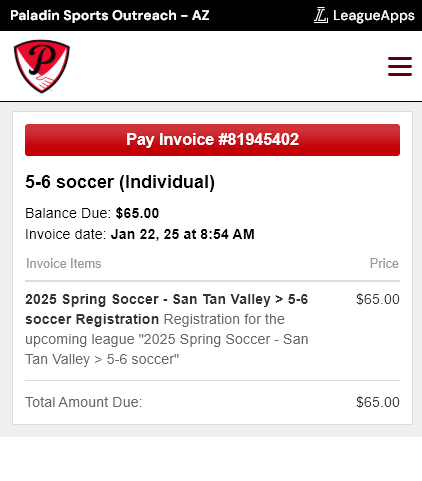
  2. Add the sport to the cart and go all the way until the final payment page that shows what’s in the cart and the final amount.
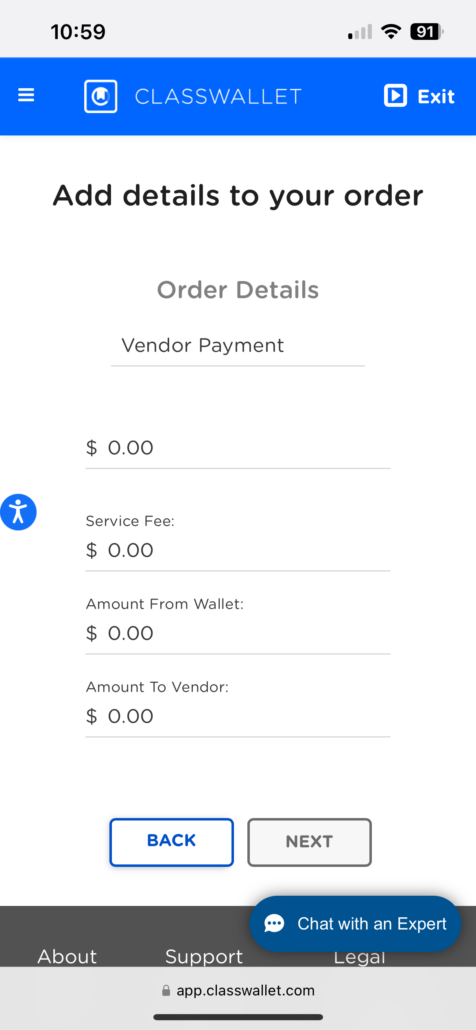
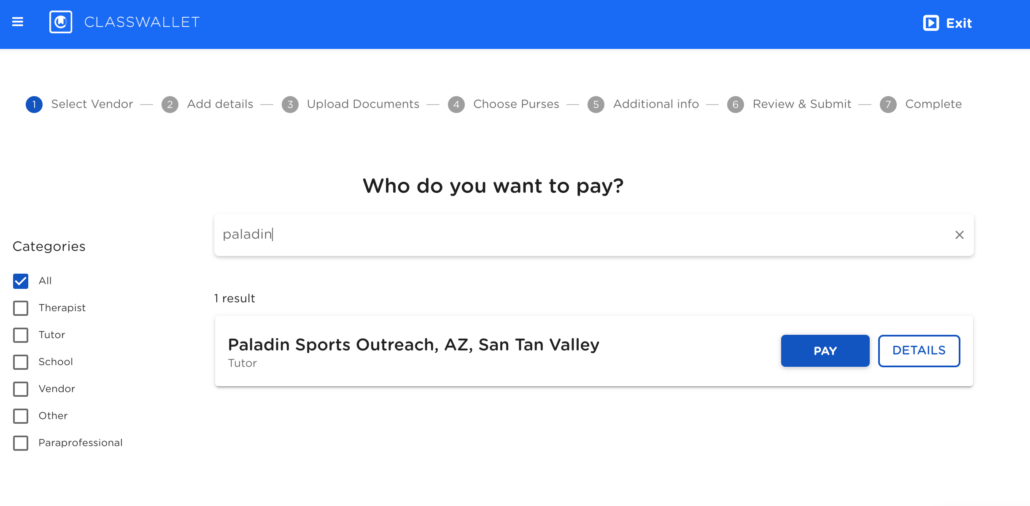
  3. Take a screen shot and submit it to the “Pay Direct to Vendor” page on the ESA website. Submit the screen shot of the invoice and enter the program registration amount.
  4. Before submitting payment please make sure to add $5 to your Vendor Payment amount to cover processing fees.
STEP 2: Complete Registration on LeagueApps

Once you have submitted payment through ESA you will need to:

  1. Email [email protected] and we will will email you a unique promo code.
  2. Restart the registration process for your child(ren) on LeagueApps selecting the sport and season you want to register for — the previous registration you started will have expired due to non-payment.
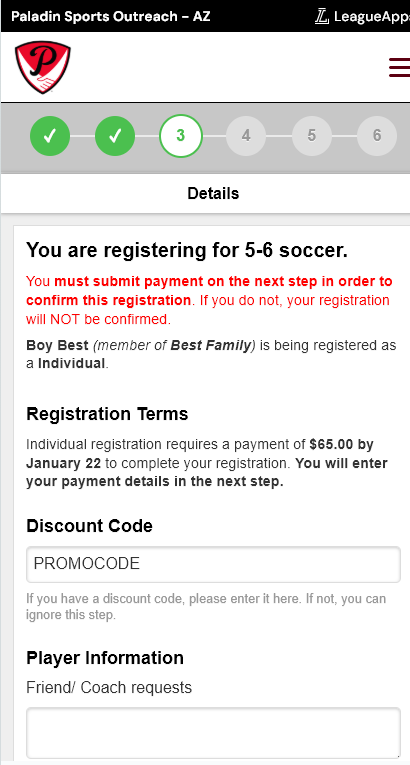
  3. Add the sport to the cart and go all the way until the final payment page that shows what’s in the cart and the final amount.
  4. Enter the promo code that was provided to you via email and complete your checkout.

FAQs

What is an ESA vendor? 

  • As an ESA vendor, Paladin Sports Outreach accepts ESA funds to provide physical educational services to qualified students in Arizona

What can ESA funds be used for? 

  • Within the category, ESA funds approved activities include those that are physical education related, including sports (i.e., baseball, football, soccer, basketball, track) that are offered through a local league. Other physical education related activities may be approved by the Department if credentials are provided for the league, organization, or individual or facility providing the service.

How can parents use ESA funds? 

  • Parents can use the ClassWallet portal to make payments to approved vendors and upload invoices

For more information and resources on ESA, please visit the ESA Parent Handbook and Resources webpage.